



Why Should You Use Filestack’s Document Detection?
With Filestack’s state-of-the-art preprocessing solution, you can easily detect rotated, folded or wrinkled documents that you upload. This means you can spend your development time on the core components of your application instead of correcting document detection issues.
Best OCR API for Document Detection Coupled with Intuitive Preprocessing Solutions
Filestack document detection maximizes its optical character recognition accuracy with the help of both supervised and unsupervised machine learning algorithms. These methods help our Document Detection package remain one of the most advanced options available on the market today.
Learn More

How Does Document Detection Work?
2 Find the most accurate circumscribed polygon over the detected mask. This part would find the predicted perspective edges of the document within the image.
3 Warp the predicted document in the image to fit the whole image, all while keeping its aspect ratio. This part would fix any rotation, etc. in the document.
4 Denoising the warped image, fixing the distortions, and generating the final result.
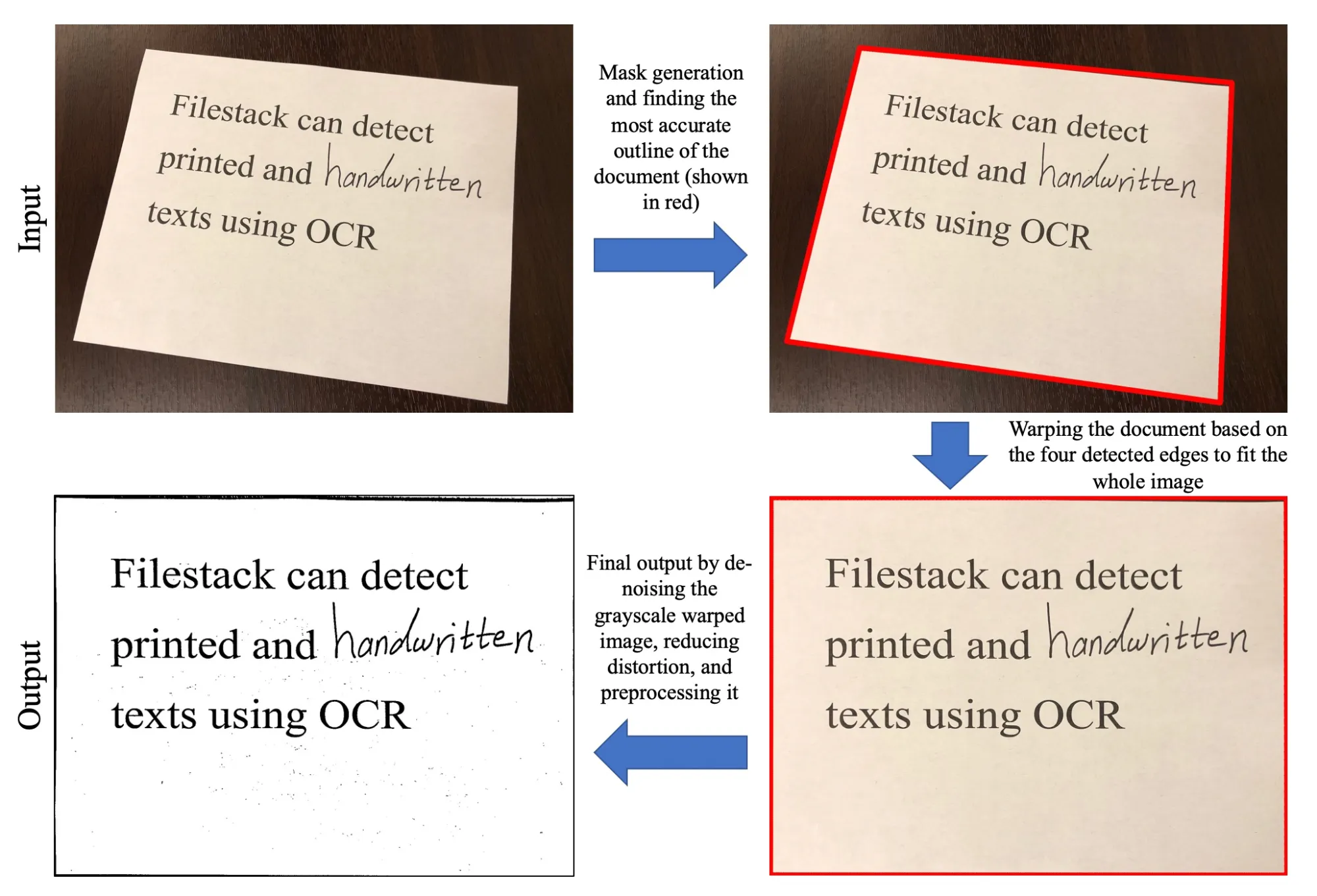
Filestack process in finding the most accurate document within the original image.
Empower your business with an accurate, fast, and reliable document detection solution.
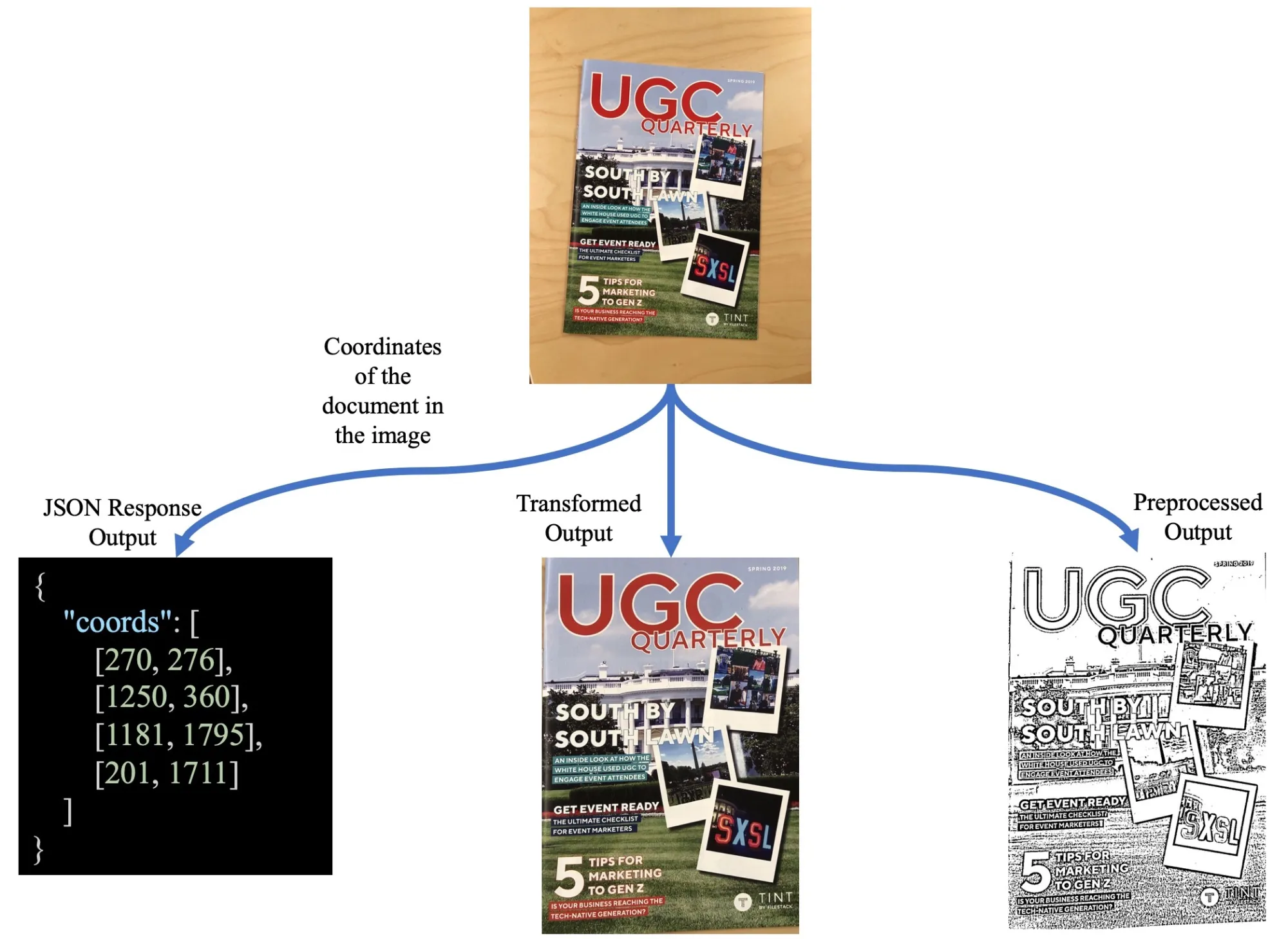
Multiple endpoints map in Document Detection.
How Can Document Detection Benefit Your Application?
Based on how you set the coords and preprocess options, Filestack will return one of three different outputs:
1 Detect the document in the actual image and return its coordinates.
2 Detect the document in the image, find the coordinates, transform the document based on its corners to fit the largest rectangle, also known as warping.
3 Detect the document in the image, find the corners, warp the document, and apply preprocessing filters to make it cleaner for OCR.
This would give you more degrees of freedom in leveraging Filestack’s Document Detection in your business without having to create custom logic in your existing application. Filestack handles all the heavy lifting for you.
Popular Use Cases

DOCUMENT ARCHIVING

INVOICE PROCESSING

PASSPORT & ID CARD RECOGNITION

LEGAL CONTRACT REDACTION






Use Filestack’s Document Detection with Workflows
Chain together tasks in our simple Workflows User Interface to auto-detect your client’s document content. Filestack simplifies the process by scanning every file on upload while generating a CDN link for every file you upload so that you can create workflows to manipulate said files. Set rules and conditional logic for handling file coordinates or size and decide how to transform and deliver your files.
Use-Case
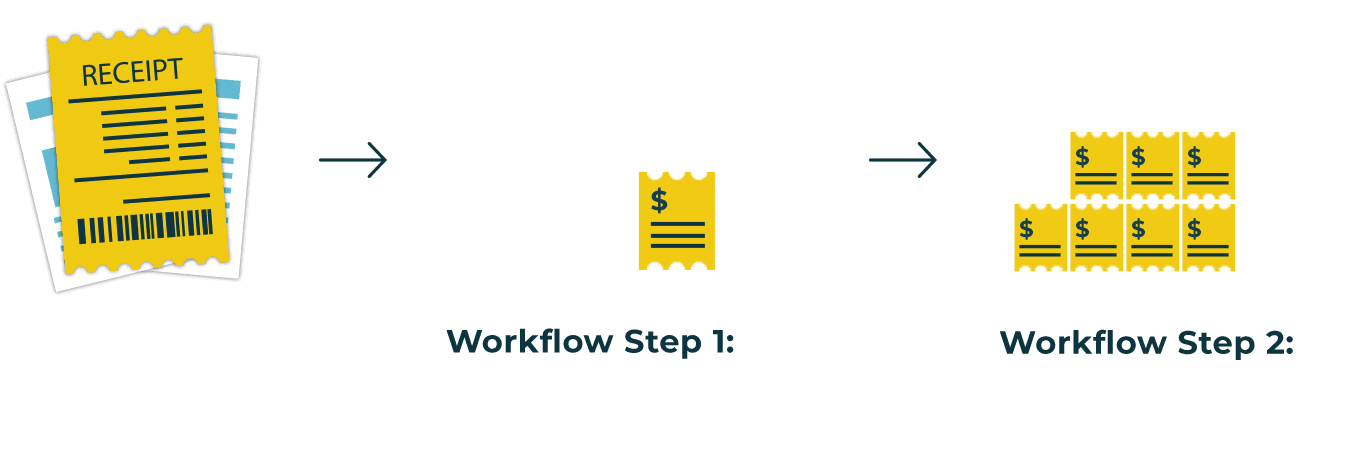
Accountant uploads a user’s documents (Word doc, PDF, image, etc.)


WAY MORE THAN A FILE UPLOADER WIDGET: A COMPLETE INTELLIGENT UPLOAD SYSTEM.
What Filestack Can Do For You

OBJECT RECOGNITION
How valuable would it be to “see” what is in every image? With our image auto-tagging service, you can easily abstract what objects appear in your uploaded images. People, animals, transportation, and thousand of other categories are at your disposal.

EXPLICIT CONTENT DETECTION
Moderate your images to ensure you are only showing content that comply with your rules and boundaries. By implementing “safe for work” and a “not safe for work” score, our image tagging service can help you automate content moderation so you can focus on your core business.

OBJECT DETECTION
Sometimes knowing which objects are in your photos isn’t enough — you need to know where they are, too. Filestack Object Detection uses state-of-the-art neural networks to detect and locate common objects in photos.
Let’s Get Started.
Talk to us about how simple it can be to instantly and automatically transform any file or image.
Just One Integration, One Time…
Filestack connects you with a multitude of services with one simple integration. You never have to worry about updating API integrations again. Uploading Files is our raison d’etre. We update for other API changes, and will never depreciate our API or force unwarranted changes on you.
Libraries & SDKs
Choose from our SDKs to get started: Javascript, Ruby, PHP, Python, Swift, Android
No maintenance required
Once you integrate, you’re done. Never worry about changing APIs disrupting your file workflow again.
Dev-to-dev support
Your files are always our #1 concern. We are always here to help you get up and running and assure the best performance.
import * as filestack from 'filestack-js';
const client = filestack.init('YOUR API KEY');
client.upload(fileObject).then(data =>console.log(data.url));
gem 'filestack'
client = FilestackClient.new('YOUR_API_KEY', security: security_object)
filelink = client.upload(filepath: '/path/to/file')$ composer require --prefer-dist filestack/filestack-php
use FilestackFilestackClient;
$client = new FilestackClient('YOUR_API_KEY');
$filelink = $client-upload('/path/to/file');$ pip install filestack-python
from filestack import Client client = Client("")
params = {'mimetype': 'image/png'}
new_filelink = client.upload(filepath="path/to/file", params=params)
print(new_filelink.url)
“Being smart here, in my opinion, is seriously looking at Filestack to give you a fantastic uploading experience, while you spend your time on your product vision, not already-solved problems.”
— CHRIS COYIER, FOUNDER OF CSS-TRICKS & CODEPEN