

Why You Need Storage Aliases
If you have an existing cloud storage provider for your files, Filestack can easily integrate with it through the use of storage aliases. Here are some reasons why you need to use storage aliases for your external cloud storage:
- You won’t have to remove and rewrite your business logic entirely.
- You will avoid the hassle of creating and managing a new server for your files. Instead, you can use an existing cloud storage right away. Once you create a storage alias for it, you can use Filestack’s powerful features on your cloud storage’s content.
- Content from the aliased cloud storage will be accessed securely through an abstracted URL, allowing you to transform and process it while keeping the storage safe and private.
- Filestack’s storage aliasing feature supports 5 popular storage providers (including an internally managed S3 bucket, which is the default Filestack storage).

Supported Cloud Storage Providers
Below is a list of supported cloud storage providers that can integrate easily with Filestack
– Amazon S3
– Rackspace
– Azure Blob Storage
– Dropbox
– Google Cloud Storage
How Do Storage Aliases Work With Your Cloud Storage Provider?
Simply create aliases for private cloud storage areas (at the granularity you desire) and we create a secure, abstracted URL for the content within that storage that can be transformed and served
– without re-uploading content and keeping the storage private.
Apply Filestack’s transformation and processing API after creating a storage alias for your cloud storage provider

NSFW
Never worry about serving NSFW content again. Filestack’s Image Tagging API ensures that all files within your system are safe for everyone.

VIDEO TRANSFORMATIONS
Filestack can transform any video format to your desired outcome ensuring a uniform and easy to manage video formats as a result. Learn more.
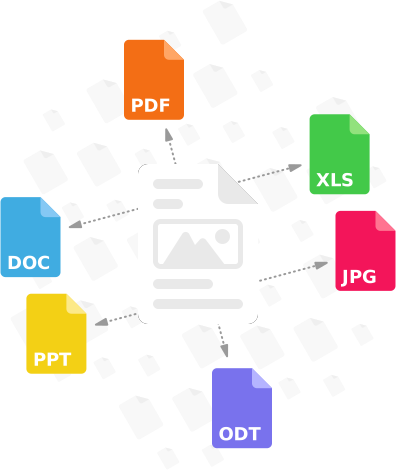
Document Conversion API
Learning materials come in different filetypes, and this should never be a problem. Filestack’s transformations converts files to your optimal filetype.
Simple virus and malware detection for all file types
Scan every file upon upload for viruses and malicious programs no matter what their file type. Filestack’s virus detection capabilities support scanning every file from images and video files to PDF documents for a secure document upload every time.

A Use Case for Storage Aliases
Let’s say that you have some images stored in Google Cloud Storage and you want to use Filestack’s Copyright Detection feature to determine their copyright status. Instead of exporting the contents of your Google storage, which could take plenty of time depending on the number and sizes of the images, into Filestack, you can create a storage alias for your storage. After that, you can directly use Filestack’s Copyright Detection (and other transformation features) within your Google storage.
Upload your assets directly to the cloud without having to re-upload or pay migration fees. Get started for free now!


WAY MORE THAN A FILE UPLOADER WIDGET: A COMPLETE UPLOAD SERVICE.
What you can get only from Filestack
BETTER RELIABILITY
Filestack Intelligent Ingestion™ can dynamically adjust to changing network conditions to guarantee upload success 99.999% of the time.
ACCELERATED UPLOADS
Filestack’s exclusive technology can provide your app immediate access to content – even while it’s still in transit accros the network.
ONE API FOREVER
Filestack brings images, videos, and files to your app from 20+ sources through a single, stable API. (No need to maintain an integration to each service).






Just One Integration, One Time…
Filestack connects you with a multitude of services with one simple integration. You never have to worry about updating API integrations again. Uploading Files is our raison d’etre. We update for other API changes, and will never depreciate our API or force unwarranted changes on you.
Libraries & SDKs
Choose from our SDKs to get started: Javascript, Ruby, PHP, Python, Swift, Android
No maintenance required
Once you integrate, you’re done. Never worry about changing APIs disrupting your file workflow again.
Dev-to-dev support
Your files are always our #1 concern. We are always here to help you get up and running and assure the best performance.
import * as filestack from 'filestack-js';
const client = filestack.init('YOUR API KEY');
client.upload(fileObject).then(data =>console.log(data.url));
gem 'filestack'
client = FilestackClient.new('YOUR_API_KEY', security: security_object)
filelink = client.upload(filepath: '/path/to/file')$ composer require --prefer-dist filestack/filestack-php
use Filestack\FilestackClient;
$client = new FilestackClient('YOUR_API_KEY');
$filelink = $client-upload('/path/to/file');$ pip install filestack-python
from filestack import Client client = Client("")
params = {'mimetype': 'image/png'}
new_filelink = client.upload(filepath="path/to/file", params=params)
print(new_filelink.url)
“Being smart here, in my opinion, is seriously looking at Filestack to give you a fantastic uploading experience, while you spend your time on your product vision, not already-solved problems.”
— CHRIS COYIER, FOUNDER OF CSS-TRICKS & CODEPEN