


Why Is It Important to Have a Copyright Detector?
Filestack Copyright Detection will help you to avoid infringing on the copyright protection of others as well as protect your online content.
Whether you upload one image or a million, you will immediately know whether an image has copyright protection by using the copyright detector feature, which is part of Filestack’s Processing API and Image Intelligence Suite.






How the Copyright Detector Works
1 Send a Processing API request with copyright task
This task requires using a security policy and signature.
Learn More

2 Receive the API Response
Use the API response to detect whether the target image is copyrighted or not and define actions based on the result.

Copyright Detection
{
  "copyright": true,
  "licenses": [
    {
        "collection": "500px",
        "dateCreated": "2021-06-08T00:00:00",
        "id": "fa233f04-ee0f-497e-bc52-75e4ebbd5579",
        "keywords": "Pets\tTame\tClose-up\tPuppy\tPhotography\tStudio Shot\tCavalier King Charles Spaniel\tAnimal Themes\tDomestic Animals\tCanine - Animal\tAnimal\tColor Image\tPlant\tHorizontal\tAnimal Body Part\tMammal\tPlant Environment\tDiscovery\tCute\tLap Dog\tResponsibility\tDomestic Life\tEnvironment\tLying Down\tBeauty In Nature\tAnimal Head\tDog\tNature\tPurebred Dog\tAnimal Wildlife\tPortrait\tNo People ",
        "licensingInfo": [
        {
            "imageId": "1330754182",
            "name": "Getty Images",
            "purchaseUrl": "https://www.gettyimages.com/detail/photo/close-up-portrait-of-lap-cavalier-king-charles-royalty-free-image/1330754182",
            "types": [
                "Royalty Free"
            ],
        }
        ],
        "photographerName": "Musthafa Aboobakuru / 500px",
        "servingUrl": "https://getty-irc-catalog.s3.amazonaws.com/Images/54/fa233f04-ee0f-497e-bc52-75e4ebbd5579.jpg",
        "title": "Close-up portrait of lap cavalier king charles spaniel lying on floor at home",
    }
  ]
}
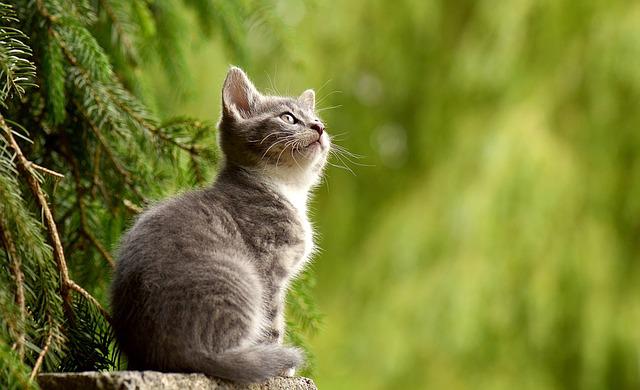
Copyright Detection
{
  "copyright": true,
  "licenses": [
    {
        "collection": "500px",
        "dateCreated": "2020-08-19T00:00:00",
        "id": "bba683c0-c0f4-46db-85cf-127df56cba81",
        "keywords": "Pets\tGrass\tPaw\tFur\tClose-up\tMouth Open\tAnimal Body Part\tEating\tPhotography\tRoad\tVillage\tNature\tSmall\tKitten\tAnimal Themes\tDomestic Animals\tLooking\tOutdoors\tAnimal\tColor Image\tPlant\tVertical\tMammal\tSitting\tDiscovery\tCute\tOpen\tClaw\tGray Color\tEnvironment\tFocus On Foreground\tBeauty In Nature\tAnimal Eye\tAnimal Head\tDomestic Cat\tTabby Cat\tAnimal Whisker\tAnimal Wildlife\tPortrait\tFeline\tNo People\tGreen Color\tDay\tOptometry ",
        "licensingInfo": [
        {
            "imageId": "1355362426",
            "name": "Getty Images",
            "purchaseUrl": "https://www.gettyimages.com/detail/photo/close-up-of-cat-sitting-outdoors-royalty-free-image/1355362426",
            "types": [
                "Royalty Free"
            ],
        }
        ],
        "photographerName": "Viper / 500px",
        "servingUrl": "https://getty-irc-catalog.s3.amazonaws.com/Images/54/bba683c0-c0f4-46db-85cf-127df56cba81.jpg",
        "title": "Close-up of cat sitting outdoors",
    }
  ]
}
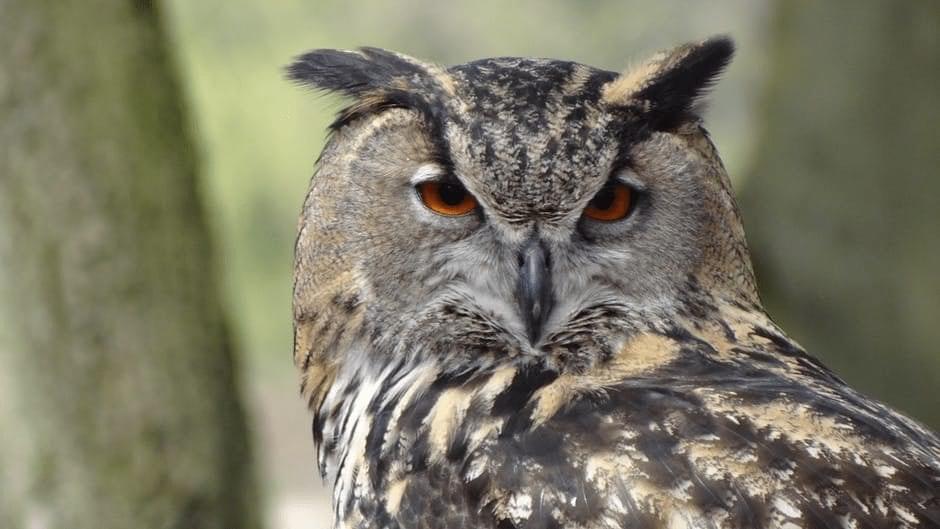
Copyright Detection
{
  "copyright": true,
  "licenses": [
    {
        "collection": "iStock",
        "dateCreated": "2018-02-27T08:00:00",
        "id": "b291ee04-91d6-4ae5-85e3-fe715ea1a2af",
        "keywords": "Art\tPrint\tWisdom\tAnimal\tThailand\tHand\tTextured\tFeather\tRebellion\tColor Image\tTattoo\tOwl\tHorizontal\tNight\tAnimal Body Part\tAbstract\tBlue\tDecoration\tPhotography\tPattern\tBird\tRetro Style\tCute\tPaper\tSymbol\tBranch - Plant Part\tForest\tMulti Colored\tDesign\tPaint\tBeauty\tAnimal Eye\tEye\tAnimals Hunting\tCreativity\tNature\tTree\tSketch\tAnimal Wildlife\tPortrait\tFashion ",
        "licensingInfo": [
        {
            "imageId": "925020364",
            "name": "Thinkstockphotos",
            "purchaseUrl": "http://www.thinkstockphotos.com/image/stock-photo-owl-with-abstract-paint-on-white-background/925020364",
            "types": [
                "Royalty Free"
            ],
        },
        {
            "imageId": "253850092",
            "name": "iStock",
            "purchaseUrl": "http://www.istockphoto.com/photo/owl-with-abstract-paint-on-white-background-gm925020364-253850092",
            "types": [
                "Royalty Free"
            ],
        },
        ],
        "photographerName": "THEPONGPUT",
        "servingUrl": "https://getty-irc-catalog.s3.amazonaws.com/Images/20712/b291ee04-91d6-4ae5-85e3-fe715ea1a2af.jpg",
        "title": "owl with abstract paint on white background",
    }
  ]
}
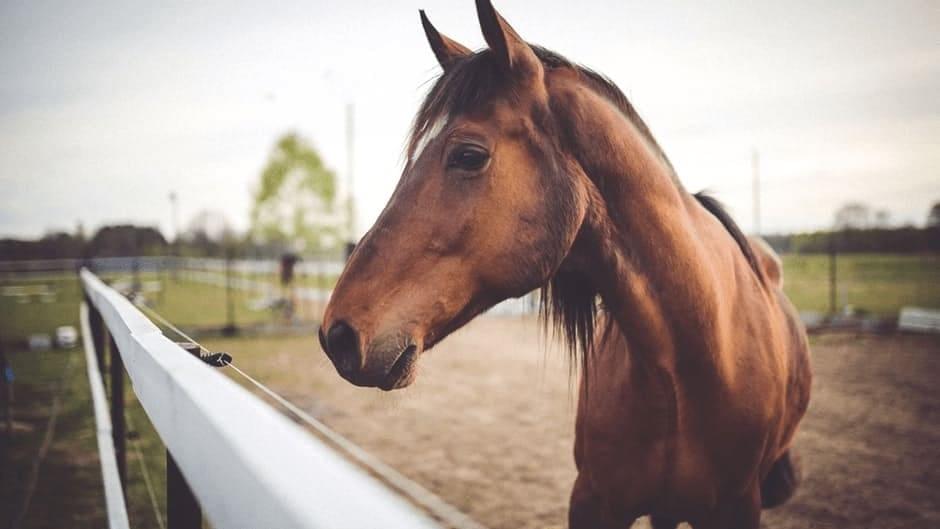
Copyright Detection
{
  "copyright": true,
  "licenses": [
    {
        "collection": "EyeEm",
        "dateCreated": "2015-04-25T00:00:00",
        "id": "e8f61f5d-a7c7-418d-975c-b5558b67ee10",
        "keywords": "Horse\tPets\tVertebrate\tAnimal Themes\tDomestic Animals\tRanch\tOne Animal\tOutdoors\tAnimal\tStanding\tLivestock\tSky\tColor Image\tHorizontal\tAnimal Body Part\tMammal\tPhotography\tHerbivorous\tFocus On Foreground\tBrown\tAnimal Head\tItaly\tNature\tAnimal Wildlife\tNo People\tDay\tTransportation\tCloud - Sky ",
        "licensingInfo": [
        {
            "imageId": "1264641535",
            "name": "Getty Images",
            "purchaseUrl": "https://www.gettyimages.com/detail/photo/horse-standing-in-ranch-against-sky-royalty-free-image/1264641535",
            "types": [
              "Royalty Free"
            ],
        }
        ],
        "photographerName": "Emanuel Tallarico  / EyeEm",
        "servingUrl": "https://getty-irc-catalog.s3.amazonaws.com/Images/54/e8f61f5d-a7c7-418d-975c-b5558b67ee10.jpg",
        "title": "Horse Standing In Ranch Against Sky",
    }
  ]
}
Save Time by Including the Copyright Detector in Your Workflows
Integrate copyright detection into your app via Filestack Workflows. Chain tasks with Workflows to scan and automatically detect copyrighted images, reject them from being uploaded, and notify users.
Let Filestack show you how simple adding copyright detection can be.



WAY MORE THAN A FILE UPLOADER WIDGET: A COMPLETE INTELLIGENT UPLOAD SYSTEM.
What Can You Get From Filestack?

OBJECT RECOGNITION
How valuable would it be to “see” what is in every image? With our image auto-tagging service, you can easily abstract what objects appear in your uploaded images. People, animals, transportation, and thousand of other categories are at your disposal.

EXPLICIT CONTENT DETECTION
Moderate your images to ensure you are only showing content that comply with your rules and boundaries. By implementing “safe for work” and a “not safe for work” score, our image tagging service can help you automate content moderation so you can focus on your core business.

OBJECT DETECTION
Sometimes knowing which objects are in your photos isn’t enough — you need to know where they are, too. Filestack Object Detection uses state-of-the-art neural networks to detect and locate common objects in photos.
Let’s Get Started.
Talk to us about how simple it can be to instantly and automatically transform any file or image.
Just One Integration, One Time…
Filestack connects you with a multitude of services with one simple integration. You never have to worry about updating API integrations again. Uploading Files is our raison d’etre. We update for other API changes, and will never depreciate our API or force unwarranted changes on you.
Libraries & SDKs
Choose from our SDKs to get started: Javascript, Ruby, PHP, Python, Swift, Android
No maintenance required
Once you integrate, you’re done. Never worry about changing APIs disrupting your file workflow again.
Dev-to-dev support
Your files are always our #1 concern. We are always here to help you get up and running and assure the best performance.
import * as filestack from 'filestack-js';
const client = filestack.init('YOUR API KEY');
client.upload(fileObject).then(data =>console.log(data.url));
gem 'filestack'
client = FilestackClient.new('YOUR_API_KEY', security: security_object)
filelink = client.upload(filepath: '/path/to/file')$ composer require --prefer-dist filestack/filestack-php
use Filestack\FilestackClient;
$client = new FilestackClient('YOUR_API_KEY');
$filelink = $client-upload('/path/to/file');$ pip install filestack-python
from filestack import Client client = Client("")
params = {'mimetype': 'image/png'}
new_filelink = client.upload(filepath="path/to/file", params=params)
print(new_filelink.url)
“Being smart here, in my opinion, is seriously looking at Filestack to give you a fantastic uploading experience, while you spend your time on your product vision, not already-solved problems.”
— CHRIS COYIER, FOUNDER OF CSS-TRICKS & CODEPEN