

Free image to WEBP Online Converter
Automatically convert JPEG, PNG, and other images to the next generation format WEBP which have better compression and quality characteristics.
How to convert Images to WEBP
Use the image to WEBP converter in just 2 simple steps, or get an API key and programmatically convert thousands of images!

Add your image
Select or drag and drop your image into the File Picker. Then, click the “Upload” button.

Share your WEBP image
Once the conversion is complete, share the CDN link or download your converted WEBP image
Supported Cloud Storage Providers
Use Filestack Upload to access images from virtually any source. Then use Filestack Transform to perfect them for your application.
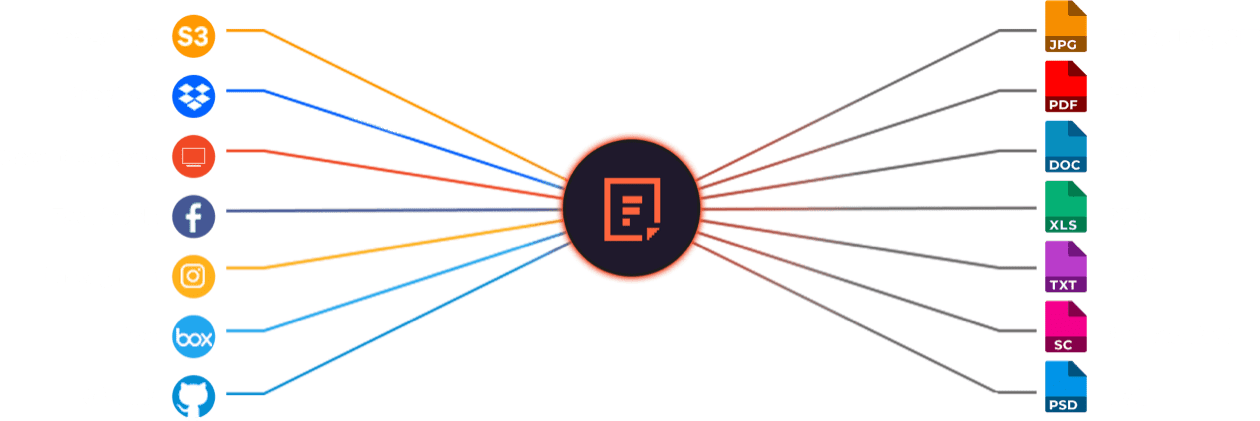







Filestack offers most file conversions for free. Sign up for free today and convert as much as you wish!
Explore Beyond Image to WEBP Conversion

GROUP IMAGES INTO A COLLAGE
A photo collage allows you to convey a compelling story without jeopardizing viewer interest. Photo collages are a great way to boost social engagement and interest in your business.

URL SCREENSHOT
Filestack acts as a browser client that renders the contents of a web page and then captures that page content as an image. This powerful feature allows you to easily incorporate screen captures of other websites into your own web pages.

PDF FILE PROCESSING
Use Filestack to automatically merge files to create a separate PDF file, convert your PDF to a new specific orientation or page format, convert it to a black and white version, or display information about that PDF document.

DOCUMENT DETECTION
Filestack’s Document Detection feature is a comprehensive tool that allows you to easily detect documents in your photos and automatically process them to accurately extract text from each document for later use in your application.

VIRUS SCAN & MALWARE DETECTION
Scan every file upon upload for viruses and malicious programs no matter what their file type. Filestack’s virus detection capabilities support scanning every file from images and video files to PDF documents for a secure document upload every time.

GENERATE A QR CODE
Easily generate a QR code that will speedily direct traffic to your destination URL with the help of Filestack.
Let’s Get Started.
Talk to us about how simple it can be to instantly and automatically transform any file or image.
Just One Integration, One Time…
Filestack connects you with a multitude of services with one simple integration. You never have to worry about updating API integrations again. Uploading Files is our raison d’etre. We update for other API changes, and will never depreciate our API or force unwarranted changes on you.
Libraries & SDKs
Choose from our SDKs to get started: Javascript, Ruby, PHP, Python, Swift, Android
No maintenance required
Once you integrate, you’re done. Never worry about changing APIs disrupting your file workflow again.
Dev-to-dev support
Your files are always our #1 concern. We are always here to help you get up and running and assure the best performance.
import * as filestack from 'filestack-js';
const client = filestack.init('YOUR API KEY');
client.upload(fileObject).then(data =>console.log(data.url));
gem 'filestack'
client = FilestackClient.new('YOUR_API_KEY', security: security_object)
filelink = client.upload(filepath: '/path/to/file')$ composer require --prefer-dist filestack/filestack-php
use Filestack\FilestackClient;
$client = new FilestackClient('YOUR_API_KEY');
$filelink = $client-upload('/path/to/file');$ pip install filestack-python
from filestack import Client client = Client("")
params = {'mimetype': 'image/png'}
new_filelink = client.upload(filepath="path/to/file", params=params)
print(new_filelink.url)
“Being smart here, in my opinion, is seriously looking at Filestack to give you a fantastic uploading experience, while you spend your time on your product vision, not already-solved problems.”
— CHRIS COYIER, FOUNDER OF CSS-TRICKS & CODEPEN
Frequently Asked Questions
What is WEBP?
WEBP is a modern image format developed by Google that provides superior compression for images on the web, allowing them to load faster without compromising quality. WEBP supports both lossy and lossless compression and reduces image size by 25–35% compared to JPEG and PNG. Modern browsers support WEBP, which improves page load speed and overall web performance.
What is a WEBP Converter?
A WEBP converter is a tool that transforms images from various formats, like JPEG, PNG, GIF, BMP, and TIFF, into the WEBP format. Utilizing advanced compression techniques, these converters produce high-quality images with significantly smaller file sizes.
Using Filestack API for converting images to WEBP enable faster loading times and reduced bandwidth consumption. It also offer additional features, such as resizing, cropping, and adjusting image quality, providing a comprehensive solution for image optimization and web performance enhancement.
By integrating a WEBP Converter into your workflow, you can leverage WebP compression to enhance your website’s performance and SEO.
How Filestack’s WEBP Converter Work?
Filestack’s WEBP converter works by fetching your image, applying a WEBP transformation task, and delivering an optimized WEBP file through a URL-based API. The system converts JPG, PNG, HEIC, and other formats by running server-side compression that reduces file size and improves performance on any device.
Why Convert Images to WEBP?
Converting images to WEBP reduces file sizes by up to 34% without quality loss, improving website speed, storage efficiency, and SEO. It supports transparency and animations, combining the best of PNG, JPEG, and GIF.
How using WEBP Images can benefit your page ranking?
Using WEBP images can benefit your page ranking by reducing image size by 25–35%, improving load time, and strengthening Core Web Vitals. Faster pages increase user engagement and lower bounce rates. WEBP also improves mobile performance, which helps search engines rank your pages higher in competitive results.
What are the Benefits of WEBP for Web Performance?
WEBP improves web performance by reducing image file sizes, leading to faster page loads, lower bandwidth usage, better SEO rankings, and enhanced user experience without sacrificing image quality.
What are Filestack Transformation API?
Filestack Transformation API is a set of image and file processing tools that let you modify, convert, compress, and optimize files through URL-based commands. The API transforms images into formats like WEBP, resizes files, applies filters, and delivers optimized assets through a CDN to improve performance.
Why WEBP Converters is Important for Image Optimization
Using WEBP Converters for image optimization helps reduce bandwidth usage and storage costs, which is crucial for websites with a large number of images. Additionally, faster loading times can positively impact SEO rankings, as search engines favor websites that provide a better user experience.