

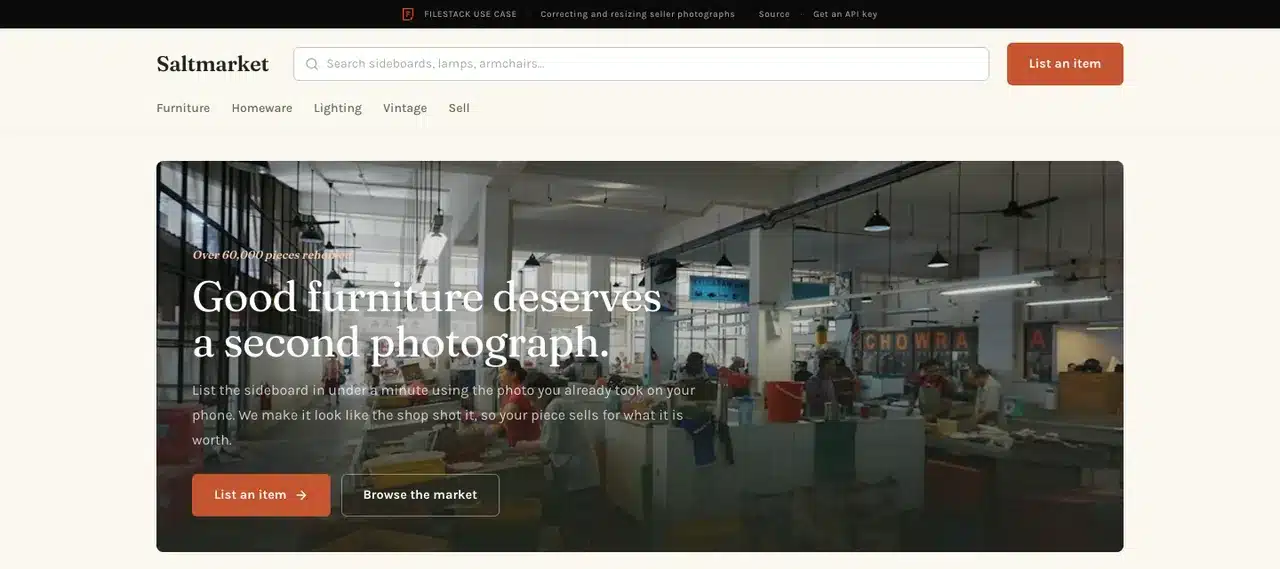
Saltmarket is a fictional company. It was made up to show how Filestack works in online marketplaces and e-commerce, so the firm, its people and its figures are invented.
What powers it is real. Every upload, enhance, upscale and storefront resize in Saltmarket is a real call to the Filestack API.
View source on GitHubWhat Is Marketplace Photo Enhancement?
Marketplace photo enhancement fixes seller photos that are too dark, color-cast or small for the catalog, so a listing goes live with the photo the seller already has. With Filestack the fix is a URL: enhance corrects the color, upscale doubles the size, and resize and output serve every storefront size from one stored handle.
Enforce a minimum
- Upload The seller's photo
- Size rule Checked against the minimum
- Reshoot Requested from the seller
Fix it in the URL
- Upload Stored once, as a handle
- enhance, upscale Color fixed, size doubled
- Storefront Every size from one handle
- Tasks
enhance,upscale,resizeandoutput- Presets
auto,fix_dark,fix_tint,vividandoutdoorin the demo- Upscale
- Twice the width and height by default, with a
noiseoption for grainy photos - Sizes
- A 200 by 200 tile, a 400 by 300 card and a 1200-wide full view, all WebP
- Delivery
- Each chain renders on first request and is served from the CDN cache after that
- Request path
- The browser builds every URL;
enhanceandupscaleanswer a plain CDN URL - Plans
- Enhance and upscale on paid plans. Pricing
- Demo source
- Saltmarket, a Next.js app. View on GitHub
cdn.filestackcontent.comThe Filestack CDNenhance=preset:fix_darkLifts a photo shot indoors in dim lightupscaleDoubles the width and heightresize=width:400,height:300,fit:cropThe listing card sizeoutput=format:webpEncoded once, lastHANDLEThe seller's original
- Enhance first
- The correction runs on the full-resolution original, with every pixel to work with.
- Upscale when small
- Doubling rescues any photo at half the catalog minimum or larger: 500 pixels for a 1000-pixel rule.
- Resize, then output
- The format conversion encodes the final pixels once, at the size the page shows.
const rescue = (preset, width) =>
[`enhance=preset:${preset}`, ...(width < MIN_WIDTH ? ['upscale'] : [])];
const SIZES = {
tile: ['resize=width:200,height:200,fit:crop', 'output=format:webp'],
card: ['resize=width:400,height:300,fit:crop', 'output=format:webp'],
full: ['resize=width:1200,fit:max', 'output=format:webp'],
};
const photoUrl = (handle, preset, width, size) =>
['https:/
Inside Saltmarket, a Marketplace Built on Filestack
Saltmarket is a demo secondhand furniture marketplace built on Filestack and Next.js. The firm is invented and every file call is real: a seller uploads the photo they have, compares presets, enlarges it and sees the listing at every size.
File Picker uploads the photo straight to Filestack. The handle is the only thing the app keeps; every version the shop shows is a URL built from it.
Saltmarket labels each
enhancepreset by the photo it fixes, so a seller picks "Shot indoors" over a parameter name. Original and corrected sit side by side, each with its URL.upscalewith default settings doubles the width and height. The app reads the original's size withimagesizeand addsupscaleonly below the catalog minimum;noise:lowsmooths low-light grain.The search tile, the listing card and the full view are three URLs from one handle.
align:facesframes a crop on the person holding or wearing the item.
client.picker({
accept: ['image/*'],
maxFiles: 1,
onUploadDone: ({ filesUploaded }) => startListing(filesUploaded[0].handle),
}).open();
{ value: 'auto', label: 'Auto', when: 'Let Filestack decide' },
{ value: 'fix_dark', label: 'Fix dark', when: 'Shot indoors in dim light' },
{ value: 'fix_tint', label: 'Fix tint', when: 'Yellow or blue color cast' },
{ value: 'vivid', label: 'Vivid', when: 'Flat, washed-out product shot' },
{ value: 'outdoor', label: 'Outdoor', when: 'Hazy daylight photo' },
];
const corrected = cdn(handle, [`enhance=preset:${preset}`]);
`https:/
).then((r) => r.json());
const enlarge = width < 1000 ? ['upscale=noise:low'] : [];
const tile = cdn(handle, [...base, 'resize=width:200,height:200,fit:crop,align:faces', 'output=format:webp']);
const card = cdn(handle, [...base, 'resize=width:400,height:300,fit:crop', 'output=format:webp']);
const full = cdn(handle, [...base, 'resize=width:1200,fit:max', 'output=format:webp']);
What Rescuing Seller Photos Takes In-House
Rescuing seller photos in-house takes a color-correction step, a super-resolution model on a GPU, a resize service for every surface, storage for derived files and a cache in front. Filestack runs the same steps as tasks in the photo’s URL.
Build an Image Pipeline
Write One URL Per Size
Changing a size means editing the path.
Tour the Saltmarket Storefront
The Saltmarket storefront is built from stored handles, and its listing page shows each rescue step with its URL.

Run Photo Enhancement at Marketplace Scale
At marketplace scale, every distinct task chain is a separate render and a separate cache entry. Store each listing’s handle and preset, build URLs at render time, and keep the preset and size list short.
-
Store the handle and the preset
Build URLs at render time, so a new size or preset is a code change.
-
Upscale below the minimum
Check the original's width with
imagesizeand enlarge only the photos that need it. -
Keep the matrix small
Five presets across three sizes is fifteen cached variants per photo. Choose the preset once, at listing time.
-
Frame tiles with align
align:faceskeeps a person in frame;top,leftand the others set the crop for objects. -
Screen seller uploads
virus_detectionin a Workflow checks every file at upload. -
Lock the key down
Security policies allow your origins, accept
image/*and set a size cap.
const listing = { handle: 'HANDLE', preset: 'fix_dark', width: 520 };
const rescue = [
`enhance=preset:${listing.preset}`,
...(listing.width < 1000 ? ['upscale'] : []),
];
export const photoUrl = (size) =>
cdn(listing.handle, [...rescue, ...SIZES[size]]);
Ways to Handle Seller Photos Compared
Filestack corrects and enlarges a seller photo in its URL and serves every size from the CDN. A minimum-size rule sends the photo back, and an in-house pipeline fixes it on your own workers.
| A minimum-size rule | In-house image pipeline | Filestack URL tasks | |
|---|---|---|---|
| A dim 500-pixel photo | Returned to the seller for a new one | Corrected and enlarged by your workers | Corrected and doubled in the URL |
| Infrastructure | A validation rule | Color correction, a GPU model, resize workers, storage and a cache | The Filestack CDN |
| A new storefront size | A new upload requirement | A new derived file for every photo | One more entry in the size list |
| Where URLs are built | Your upload endpoint | Your workers and storage | The browser |
| Time to production | An afternoon | A model, a worker pool and a cache | Most teams ship their first upload within minutes |
A minimum-size rule suits a catalog where every seller shoots to one studio standard.
Image Enhancement Beyond Marketplaces
The same URL tasks restore old catalogs, clean up profile photos, brighten property listings and store a rescued copy at upload.
A low-resolution legacy catalog
Bring older product images up to today's display sizes.
upscale
Profile photos
Correct a phone selfie and crop it around the face.
enhancealign:faces
Property and travel listings
Clear the haze from daylight exterior shots.
enhance=preset:outdoor
Product shots with a color cast
Neutralize yellow indoor light before the photo reaches the catalog.
enhance=preset:fix_tint
Seller upload screening
Check every file a stranger uploads before buyers see it.
virus_detection
A rescued copy at upload
Run enhance and upscale once, then store the result as its own handle.
Workflows
List every item with the photo the seller already took.
- Most teams ship their first upload within minutes
- Trusted by 100,000+ applications
- SOC 2 compliant
Marketplace Photo Enhancement FAQs
How do I improve seller photos on a marketplace?
What does Filestack upscale do?
upscale with default settings returns the image at twice its width and height. The noise option reduces grain, which suits small phone photos taken in poor light.
Which enhance preset fits which photo?
fix_dark suits a photo shot indoors in dim light, fix_tint a yellow or blue cast, vivid a flat product shot and outdoor a hazy daylight photo. auto lets Filestack choose.
Does image enhancement need a server?
The browser can build the whole chain, because enhance and upscale answer a plain CDN URL. Security policies then limit the API key to your origins, to images and to a size cap.
How many versions of each photo does Filestack create?
Each distinct task chain renders once and is cached, so five presets across three sizes makes fifteen variants per photo. Choosing the preset at listing time keeps it to one chain per size.
Which plans include enhance and upscale?
Enhance and upscale run on paid plans, each with a free trial. Resize and format conversion run on every plan, including the free plan. See pricing.
Is Saltmarket a real company or a Filestack customer?
Saltmarket is a fictional company, created to show how Filestack works in online marketplaces and e-commerce. The firm, its people and its figures are invented, and the demo runs on the real Filestack API.
Can I see the code behind the Saltmarket demo?
Yes. Saltmarket is open source on GitHub in the filestack-use-cases repository, under apps/fs-marketplace. It is a Next.js app with the presets, the upscale step and the storefront sizes.