Free DOCX to PNG Online Converter


Easily convert DOCX documents into PNG images with our fast, free online converter.


How to convert DOCX to PNG

Use the DOCX to PNG converter in just 2 simple steps, or get an API key and programmatically convert thousands of documents!

Step 1
Upload DOCX file

Add your DOCX file

Select or drag and drop your DOCX file into the File Picker. Then, click the "Upload" button.

Step 2
Download your PNG image

Share your PNG image

Once the conversion is complete, share the CDN link or download your converted PNG image

Free Online Converters


JPG to PNG


HEIC to WEBP


JPG to WEBP


PNG to WEBP


GIF to WEBP


TIFF to WEBP


PSD to WEBP


SVG to WEBP


PNG to GIF


JPG to GIF


WEBP to PNG


Filestack offers most file conversions for free. Sign up for free today to get started!

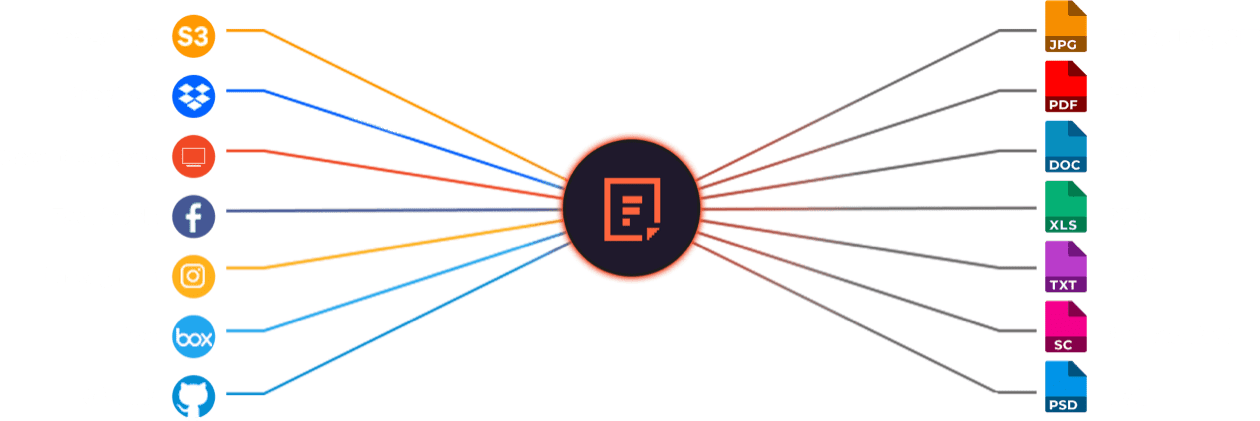
Supported Cloud Storage Providers

Use Filestack Upload to access images from virtually any source. Then use Filestack Transform to perfect them for your application.

Why Use File Converters?

Document sharing across teams should be simple. Filestack’s reliable online converter quickly transforms DOCX files into clear PNG images, eliminating compatibility worries, simplifying collaboration, and enhancing productivity.


Explore Beyond DOCX to PNG Conversion

GROUP IMAGES INTO A COLLAGE

A photo collage allows you to convey a compelling story without jeopardizing viewer interest. Photo collages are a great way to boost social engagement and interest in your business.

URL SCREENSHOT

Filestack acts as a browser client that renders the contents of a web page and then captures that page content as an image. This powerful feature allows you to easily incorporate screen captures of other websites into your own web pages.

PDF FILE PROCESSING

Use Filestack to automatically merge files to create a separate PDF file, convert your PDF to a new specific orientation or page format, convert it to a black and white version, or display information about that PDF document.

DOCUMENT DETECTION

Filestack’s Document Detection feature is a comprehensive tool that allows you to easily detect documents in your photos and automatically process them to accurately extract text from each document for later use in your application.

VIRUS SCAN & MALWARE DETECTION

Scan every file upon upload for viruses and malicious programs no matter what their file type. Filestack’s virus detection capabilities support scanning every file from images and video files to PDF documents for a secure document upload every time.

GENERATE A QR CODE

Easily generate a QR code that will speedily direct traffic to your destination URL with the help of Filestack.

Let’s Get Started.

Talk to us about how simple it can be to instantly and automatically transform any file or image.​

Just One Integration, One Time…

Filestack connects you with a multitude of services with one simple integration. You never have to worry about updating API integrations again. Uploading Files is our raison d’etre. We update for other API changes, and will never depreciate our API or force unwarranted changes on you.
Libraries & SDKs Choose from our SDKs to get started: Javascript, Ruby, PHP, Python, Swift, Android No maintenance required Once you integrate, you’re done. Never worry about changing APIs disrupting your file workflow again. Dev-to-dev support Your files are always our #1 concern. We are always here to help you get up and running and assure the best performance.
import * as filestack from 'filestack-js';
const client = filestack.init('YOUR API KEY');
client.upload(fileObject).then(data =>console.log(data.url));
gem 'filestack'
client = FilestackClient.new('YOUR_API_KEY', security: security_object)
filelink = client.upload(filepath: '/path/to/file')
$ composer require --prefer-dist filestack/filestack-php

use Filestack\\FilestackClient;

$client = new FilestackClient('YOUR_API_KEY');
$filelink = $client-upload('/path/to/file');
$ pip install filestack-python

from filestack import Client client = Client("")

params = {'mimetype': 'image/png'}
new_filelink = client.upload(filepath="path/to/file", params=params)
print(new_filelink.url)

“Being smart here, in my opinion, is seriously looking at Filestack to give you a fantastic uploading experience, while you spend your time on your product vision, not already-solved problems.”
— CHRIS COYIER, FOUNDER OF CSS-TRICKS & CODEPEN

Frequently Asked Questions

What is DOCX?

DOCX is a Microsoft Word document format that stores text, images, tables, and formatting using XML and ZIP compression. It creates lightweight, structured files that open across operating systems. DOCX is widely used for reports, letters, and editable documents in business and education.

Do DOCX files support images?

Yes, DOCX files support images. The format embeds photos, graphics, and charts using XML-based structures inside the document package. DOCX files allow resizing, positioning, and formatting of images, making them suitable for reports, presentations, and visually rich documents.

Can DOCX documents converted to PNGs?

DOCX documents can be converted to PNGs by rendering each page as an image through software or an API, such as Filestack processing API. The conversion process captures text, images, and layout, then outputs each page as a separate PNG file. This method is useful for previews, thumbnails, and secure document sharing.

What is the benefits of converting DOCX to PNG?

The benefits of converting DOCX to PNG include consistent visual formatting, easier sharing, and protection from editing. PNG captures each page as an image, preserving layout across devices. This conversion is ideal for previews, thumbnails, and secure document distribution where content must remain unchanged.