

Free SVG to WEBP Online Converter
Instantly convert your SVG files to optimized WEBP images using our free online converter. Get faster uploads and immediate delivery through a ready-to-use CDN link—perfect for improving your site’s performance and simplifying your workflow.
How to convert SVG to WEBP
Use the SVG to WEBP converter in just 2 simple steps, or get an API key and programmatically convert thousands of images!

Add your SVG image
Select or drag and drop your SVG image into the File Picker. Then, click the “Upload” button.

Share your WEBP image
Once the conversion is complete, share the CDN link or download your converted WEBP image
Filestack offers most file conversions for free. Sign up for free today to get started!
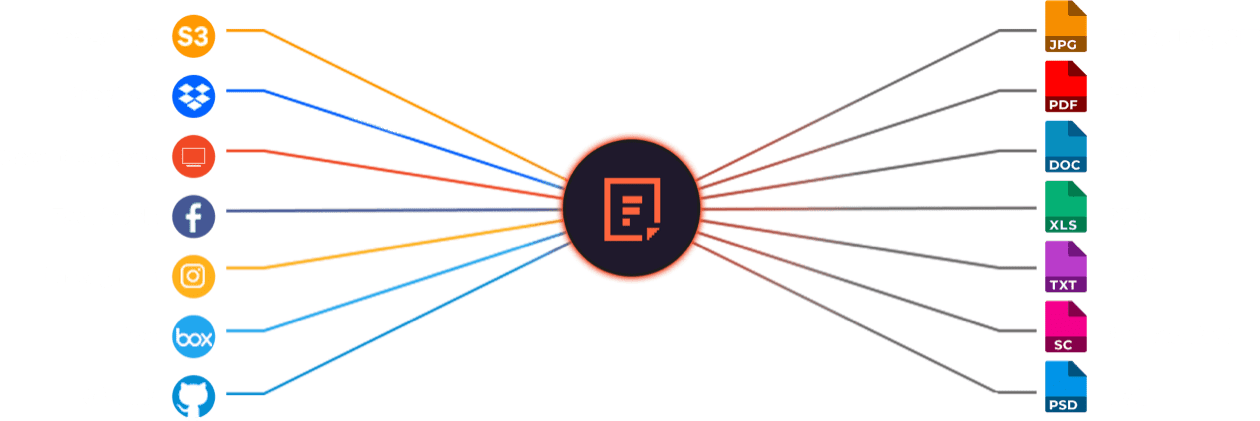
Supported Cloud Storage Providers






Explore Beyond SVG to WEBP Conversion

GROUP IMAGES INTO A COLLAGE

URL SCREENSHOT

PDF FILE PROCESSING

DOCUMENT DETECTION

VIRUS SCAN & MALWARE DETECTION

GENERATE A QR CODE
Let’s Get Started.
Just One Integration, One Time…
import * as filestack from 'filestack-js';
const client = filestack.init('YOUR API KEY');
client.upload(fileObject).then(data =>console.log(data.url));
gem 'filestack'
client = FilestackClient.new('YOUR_API_KEY', security: security_object)
filelink = client.upload(filepath: '/path/to/file')$ composer require --prefer-dist filestack/filestack-php
use Filestack\\FilestackClient;
$client = new FilestackClient('YOUR_API_KEY');
$filelink = $client-upload('/path/to/file');$ pip install filestack-python
from filestack import Client client = Client("")
params = {'mimetype': 'image/png'}
new_filelink = client.upload(filepath="path/to/file", params=params)
print(new_filelink.url)
Frequently Asked Questions
What is SVG?
SVG is a vector image format that stores graphics as XML-based shapes instead of pixels. SVG scales without losing quality, loads quickly, and supports animation, making it ideal for logos, icons, and responsive web graphics.
How can SVG to WEBP Converter help for Image Optimization?
WEBP is an image format that compresses images with either lossy or lossless methods to reduce file size while preserving quality. WEBP supports transparency and animation, making it a modern replacement for JPEG, PNG, and GIF in web performance optimization.
Can I use SVG to WEBP converter on any browser?
You can use the Filestack SVG to WEBP converter on any modern browser because Filestack processes images on its servers, not in the browser. The browser only loads the final WEBP file, which ensures full compatibility across Chrome, Firefox, Safari, and Edge.
How can I programmatically convert SVG to WEBP in a React application?
Programmatically convert SVG to WEBP in a React application using Filestack by importing the Filestack client, passing the SVG file or URL to the transform endpoint, and applying /output=format:webp. Filestack processes the SVG and returns a WEBP URL that you can display or download in your React component.
Which tools should I use if I need to change SVG or other images format to WEBP?
You may handle format conversions for other image formats, such as HEIC to WEBP, JPG to WEBP, PNG to WEBP, GIF to WEBP, TIFF to WEBP, and PSD to WEBP by using other free Filestack image converters. These tools make it simple to optimize your photos while preserving their quality and according to contemporary requirements.
Keep in mind that you can utilize Filestack API to perform conversions programmatically. Register for the API to easily optimize your photos for the web and automate format conversion.