

FREE JPG to GIF Online Converter
Convert JPG images into GIFs instantly with our free online converter. Create eye-catching animations or easily shareable graphics in seconds.
How to convert JPGs to GIF
Use our JPGs to GIF converter in just 2 simple steps, or get an API key and programmatically convert thousands of images!

Upload your JPG images
Select or drag and drop your JPG images into the File Picker. Then, click the “Upload” button.

Share your GIF
Once the conversion is complete, share the CDN link or download your converted GIF image
Supported Cloud Storage Providers
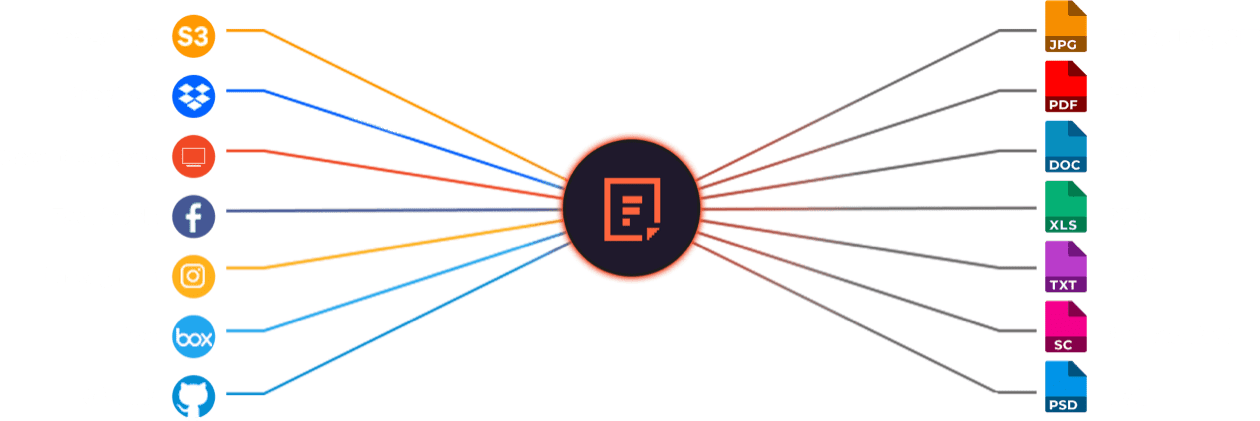






Explore Beyond JPGs to GIF Conversion

GROUP IMAGES INTO A COLLAGE

URL SCREENSHOT

PDF FILE PROCESSING

DOCUMENT DETECTION

VIRUS SCAN & MALWARE DETECTION

GENERATE A QR CODE
Let’s Get Started.
Just One Integration, One Time…
import * as filestack from 'filestack-js';
const client = filestack.init('YOUR API KEY');
client.upload(fileObject).then(data =>console.log(data.url));
gem 'filestack'
client = FilestackClient.new('YOUR_API_KEY', security: security_object)
filelink = client.upload(filepath: '/path/to/file')$ composer require --prefer-dist filestack/filestack-php
use Filestack\\\\FilestackClient;
$client = new FilestackClient('YOUR_API_KEY');
$filelink = $client-upload('/path/to/file');$ pip install filestack-python
from filestack import Client client = Client("")
params = {'mimetype': 'image/png'}
new_filelink = client.upload(filepath="path/to/file", params=params)
print(new_filelink.url)
Frequently Asked Questions
What is a GIF?
A GIF (Graphics Interchange Format) is an image file format that supports both static and animated images. GIFs use lossless compression, meaning they retain quality without increasing file size. They display short, looping animations commonly used on social media and websites for visual communication.
How To Make GIFs?
GIFs are created by combining multiple images or frames into a single file using software or an API that supports the GIF format. Each frame is assigned a delay time, defining animation speed. The sequence loops continuously, producing motion without audio in a compact, web-friendly format.
We recommend using the Filestack Processing Engine in converting images such as JPGs to GIF. You can do this by utilizing the “animate” task https://cdn.filestackcontent.com/animate=width:200,height:300/[HANDLE1,HANDLE2,HANDLE3,HANDLE4,HANDLE5]
What are the limitations of the JPG to GIF conversion using Filestack Processing API?
The main limitations of PNG to GIF conversion using Filestack Processing API are:
- Maximum file size of single image must be less than or equal 256 MB.
- Maximum width of single image must be less than or equal 1800px.
- Maximum height of single image must be less than or equal 1800px.
How do I control the loop count when converting JPGs to GIFs?
Control the loop count when converting JPGs to GIFs by adding the loop parameter in the Filestack Processing API URL. Use loop=0 for infinite animation or set a numeric value like loop=3 to repeat three times. The parameter defines how many times the GIF cycles before stopping.https://cdn.filestackcontent.com/animate=loop:10,width:200,height:300/[HANDLE1,HANDLE2,HANDLE3,HANDLE4,HANDLE5]
How can I programmatically convert JPG images to GIF in a React application?
Programmatically convert JPG images to GIF in an React application by integrating Filestack React SDK. Use the client.transform method to convert the uploaded images to GIF format and returns a CDN URL for immediate use in your app.
What are popular Filestack free image converters?
Popular Filestack free image converters include
These converters use Filestack’s Processing API for real-time format transformation.
Keep in mind that you can utilize Filestack API to perform conversions programmatically. Register for the API to easily optimize your photos for the web and automate format conversion.