

Free BMP to PDF Online Converter
Convert your BMP image to PDF effortlessly with our free online converter. Enjoy quick and reliable results without the need for any software installation.
How to convert BMP to PDF
Use the BMP to PDF converter in just 2 simple steps, or get an API key and programmatically convert thousands of images!

Add your BMP image

Share your PDF
Free Online Converters
Supported Cloud Storage Providers
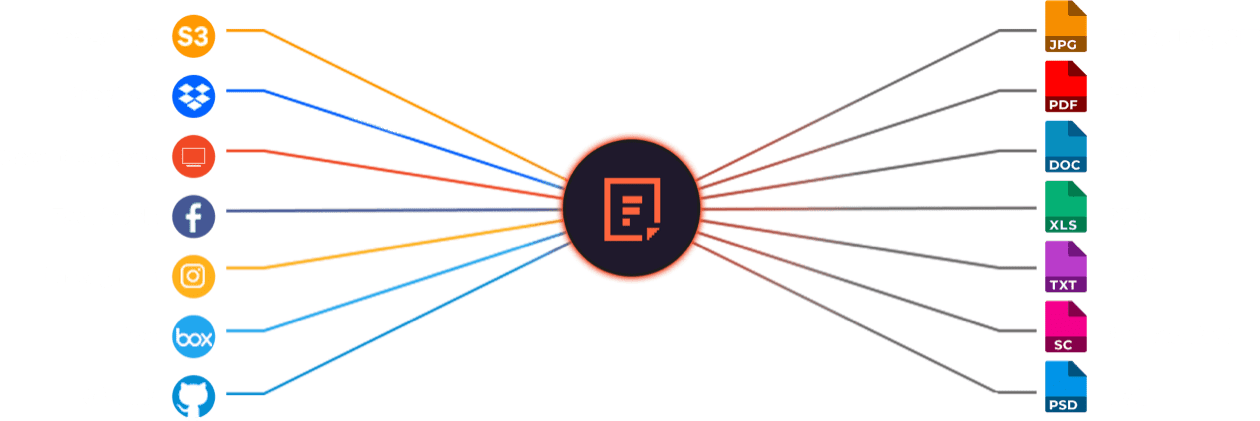






Explore Beyond BMP to PDF Conversion

GROUP IMAGES INTO A COLLAGE

URL SCREENSHOT
PDF FILE PROCESSING

DOCUMENT DETECTION

VIRUS SCAN & MALWARE DETECTION

GENERATE A QR CODE
Let’s Get Started.
Just One Integration, One Time…
import * as filestack from 'filestack-js';
const client = filestack.init('YOUR API KEY');
client.upload(fileObject).then(data =>console.log(data.url));
gem 'filestack'
client = FilestackClient.new('YOUR_API_KEY', security: security_object)
filelink = client.upload(filepath: '/path/to/file')$ composer require --prefer-dist filestack/filestack-php
use Filestack\\\\FilestackClient;
$client = new FilestackClient('YOUR_API_KEY');
$filelink = $client-upload('/path/to/file');$ pip install filestack-python
from filestack import Client client = Client("")
params = {'mimetype': 'image/png'}
new_filelink = client.upload(filepath="path/to/file", params=params)
print(new_filelink.url)
Frequently Asked Questions
What is BMP?
BMP is a Bitmap image format that stores pixel data without compression, producing large but high-quality images. BMP preserves exact color information and supports detailed graphics, which makes it useful for design, printing, and editing. The format works across Windows systems and many image-editing applications.
What is PDF?
PDF is a Portable Document Format that preserves text, images, and layout across all devices and operating systems. Adobe created PDF to ensure consistent viewing and printing. The format locks design structure, supports security features, and works for documents, forms, manuals, and long-term archiving.
What is the benefits of converting BMP to PDF?
The benefits of converting BMP to PDF include smaller file sizes, easier sharing, and consistent formatting across devices. PDF compresses large BMP images, preserves visual quality, and supports multi-page documents. Converting BMP to PDF improves portability, enhances printing accuracy, and simplifies long-term document storage.
How can I programmatically convert BMP to PDF using Filestack Processing API?
Programmatically convert BMP to PDF using the Filestack Processing API by uploading the BMP file, creating a Processing URL, and applying the output=format:pdf transformation. Filestack performs the conversion server-side and returns a PDF that you can download, store, or deliver through your application.
Here’s a basic example of how you might structure the API call:
https://cdn.filestackcontent.com/<API_KEY>/output=format:pdf/<FILE_HANDLE>
Replace <API_KEY> with your Filestack API key and <FILE_HANDLE> with the handle of the uploaded DOCX file.
For more details, you can refer to the Filestack Processing API documentation .