

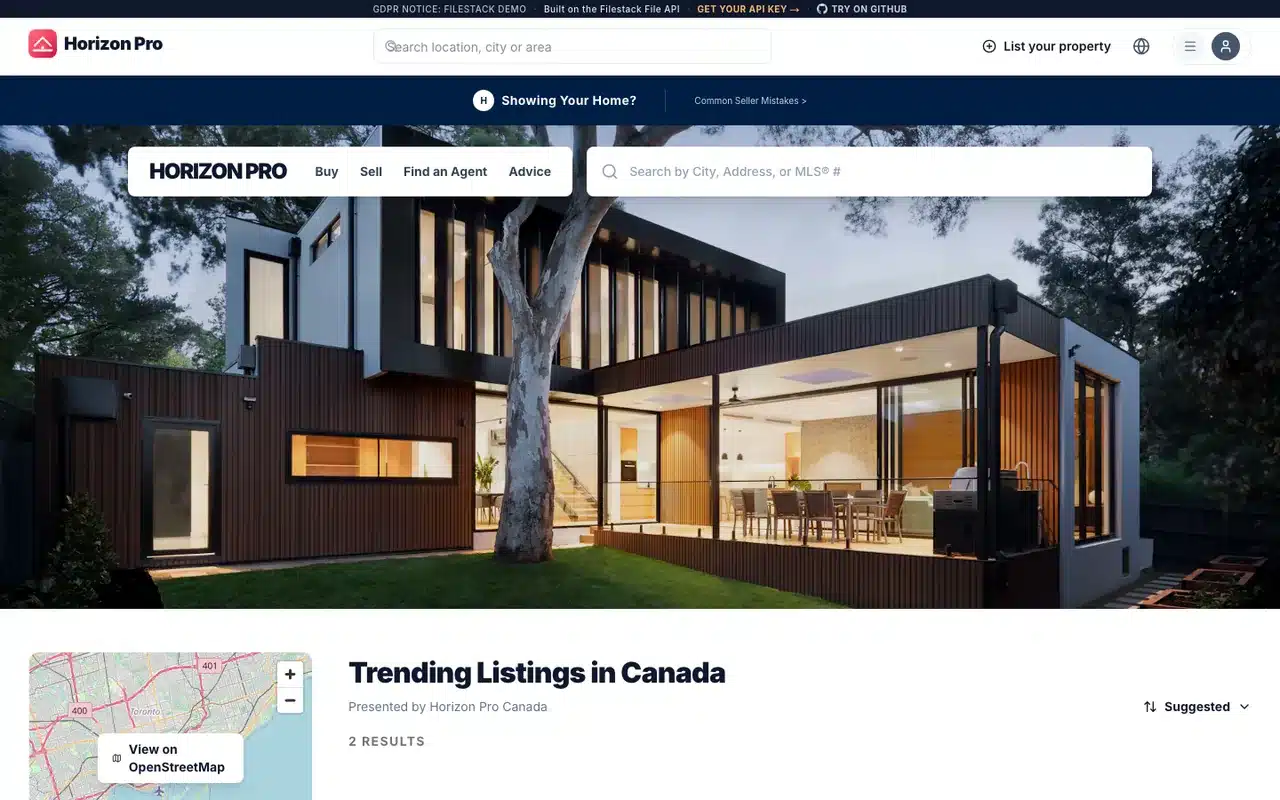
Horizon Pro is a fictional company. It was made up to show how Filestack works in real estate, so the firm, its people and its figures are invented.
What powers it is real. Every upload, resize and format conversion in Horizon Pro is a real call to the Filestack API.
View source on GitHubWhat Is File Management for Real Estate?
File management for real estate is how a listings platform stores agents’ photos and documents and serves them to buyers at every size a page needs. Filestack stores each upload once and returns a handle, and every hero, card and thumbnail is a transformation of that handle, written into a CDN URL.
Resized on upload
- Your server Receives the original
- Resize jobs One file per size
- Storage Every variant kept
Resized by URL
- Upload Returns a handle
- URL tasks Size and format in the path
- CDN Rendered once, then cached
- Upload
POST /api/store/S3from the browser, up to 10 photos per listing- Photos
- JPG, PNG and WebP; the first photo becomes the cover
- Documents
- Disclosures, floor plans and HOA documents in PDF, DOC, XLS and image formats
- Sizes
- Hero 1200×800, card 600×400, gallery thumbnail 200×150, each cropped to fill
- Format
output=format:webpon every preset- Delivery
- Rendered on the first request, then served from the edge cache
- Plans
- Resize and format conversion on every plan. Pricing
- Demo source
- Horizon Pro, a Next.js app. View on GitHub
One Upload, Every Size a Listing Needs
To serve a listing photo at several sizes with Filestack, write each size into the CDN URL in front of the photo’s handle. Each variant renders on its first request and serves from the edge cache after that.
cdn.filestackcontent.comThe Filestack CDNresize=width:1200,height:800,fit:cropThe hero size, cropped to filloutput=format:webpWebP for every variantHANDLEThe listing photo
hero- 1200×800 WebP for the top of the listing page.
card- 600×400 WebP for search results and the home page grid.
galleryThumb- 200×150 WebP for the strip under the hero.
hero: (handle) => getTransformedUrl(handle, {
width: 1200, height: 800, fit: 'crop', format: 'webp', quality: 90,
}),
card: (handle) => getTransformedUrl(handle, {
width: 600, height: 400, fit: 'crop', format: 'webp', quality: 85,
}),
galleryThumb: (handle) => getTransformedUrl(handle, {
width: 200, height: 150, fit: 'crop', format: 'webp', quality: 75,
}),
};
Inside Horizon Pro, a Listings Marketplace Built on Filestack
Horizon Pro is a demo listings marketplace built on Filestack and Next.js. The brokerage is invented and every file call is real: photos and documents upload as handles, a panel writes transformation URLs, and search cards request one variant each.
Each photo goes from the browser to Filestack storage in one request. The response carries the URL that ends in the handle, and the first photo becomes the listing's cover.
Disclosures, floor plans and HOA documents go through the same uploader in document mode, so a PDF and a photo come back as the same kind of handle.
Size, filter and format buttons each add one task, and the preview requests exactly that URL. Copying it gives the same image anywhere.
Each search card requests the card preset of its cover photo. Filters live in the query string, so a filtered view is a link an agent can send.
+ `&filename=${encodeURIComponent(file.name)}`;
const res = await fetch(url, {
method: 'POST',
headers: { 'Content-Type': file.type || 'application/octet-stream' },
body: file,
});
const data = await res.json();
const handle = data.url.split('/').pop();
onUploadDone={handleUpload}
maxFiles={10 - images.length}
/>
<FilestackUploader
onUploadDone={handleDocumentUpload}
maxFiles={10}
mode="document"
/>
if (sizeTask) tasks.push(sizeTask); // 'resize=width:800'
FILTERS.forEach((f) => {
if (activeFilters.has(f.id)) tasks.push(f.task); // 'monochrome'
});
if (formatTask) tasks.push(formatTask); // 'output=format:webp'
const transformedUrl = `${CDN_BASE}/${tasks.join('/')}/${selectedHandle}`;
src={imagePresets.card(images[currentImageIndex].handle)}
alt={listing.title}
loading="lazy"
/>
What a Listings Platform Needs Behind Every Photo
Putting one listing photo on a page takes an upload endpoint, a resize worker, a WebP job, variant storage, a CDN and signing for private listings. Filestack runs all six behind one URL.
Build the Image Pipeline
Write One URL
Changing a size means editing the path.
Tour the Horizon Pro Marketplace
Sign in to Horizon Pro with the prefilled demo account, list a property, then open its page to change the photos by URL.

Run Listing Photos in Production
In production, agents upload through the picker for resumable transfers from a phone, sizes live in one presets module, and off-market listings sit behind signed URLs.
-
Upload with the picker
Chunked, multipart and resumable, for dozens of photos from a phone on a cellular connection.
-
Keep presets in one module
Hero, card and thumbnail sizes in one place, so a size change is one edit.
-
Choose the format per variant
WebP in each preset, or
auto_imageto let Filestack choose for each browser. -
Sign private listings
Signed URLs and access policies scope off-market listings to a user, a session or an expiry.
-
Brand the photos
watermarkcomposites your logo onto each variant in the same URL. -
Preview documents
Disclosures and floor plans open in the hosted
previewviewer.
<source media="(max-width: 760px)"
srcset="https:/
<img src="https:/
alt="Front of the house" />
</picture>
"source_jpg": 396,
"hero_webp": 357,
"card_webp": 166,
"thumb_webp": 14
}
Ways to Serve Listing Photos Compared
Filestack stores one photo and renders each listing size from its URL, with documents on the same upload path. Resizing on your own servers keeps a file per size, and an image CDN alone resizes photos you already store.
| Resize on your servers | Image CDN alone | Filestack | |
|---|---|---|---|
| Upload | Your endpoint | Your endpoint and storage | Browser to Filestack storage |
| A new size | Reprocess every photo | A new URL parameter | A new task on the same handle |
| Documents | A separate store | Images only | The same upload path as photos |
| Private listings | Your signing service | Set by the vendor | Signed URLs and access policies |
| Variants kept | Every size, in storage | At the edge | At the edge, from one stored file |
An image CDN alone suits a platform that already stores its originals and needs resizing at the edge.
Listing Photo Pipelines Beyond Real Estate
Rental sites, car dealers, hotels and furniture marketplaces show the same photo at several sizes, and each takes the same upload, handle and URL.
Holiday rentals
Serve every room photo as a card, a hero and a thumbnail.
resizeoutput
Car dealerships
Brand each vehicle photo with the dealer's mark.
resizewatermark
Hotel galleries
Load a full gallery of thumbnails from the edge.
resize
Property management
Open leases and inspection reports in the browser.
preview
Furniture marketplaces
Correct dim seller photos before they reach the grid.
enhanceresize
Event venues
Show each space at every size the booking page needs.
resizeoutput
Serve every listing photo at every size from one upload.
- SOC 2 compliant
- Most teams ship their first upload within minutes
- Trusted by 100,000+ applications
File Management for Real Estate FAQs
What is file management for real estate?
File management for real estate is how a listings platform stores agents’ photos and documents and serves them to buyers. With Filestack, each photo is stored once and every size the site needs is a URL on its handle.
Can Filestack handle high-volume listing photo uploads?
Yes. Picker uploads are chunked, multipart and resumable, so an agent can send dozens of photos at once from a phone on a cellular connection. Retry configuration and cancel tokens are part of the SDK.
How are listing images delivered?
Through the Filestack CDN. Each transformed URL is computed on its first request and cached at the edge from then on. The output format is set per variant in the URL, or left to auto_image.
Can I generate different sizes of the same photo?
Yes. One stored file backs every size. Thumbnails, gallery sizes and full-screen variants are separate transformation URLs on the same handle, each rendered on demand.
How do private and pre-market listings stay protected?
Signed URLs and access policies scope a file to a user, a session or an expiry, so off-market and pocket listings stay with the people who should see them.
Does Filestack handle documents as well as photos?
Yes. Disclosures, inspection reports and floor plans upload through the same endpoint as photos, and the hosted viewer opens PDFs and Office documents in the browser.
Is Horizon Pro a real company or a Filestack customer?
Horizon Pro is a fictional company, created to show how Filestack works in real estate. The brokerage, its people and its figures are invented, and the demo runs on the real Filestack API.
Can I see the code behind the Horizon Pro demo?
Yes. Horizon Pro is open source on GitHub in the filestack-use-cases repository, under apps/fs-realestate. It is a Next.js app with the uploader, the image presets, the transform panel and the search filters.